


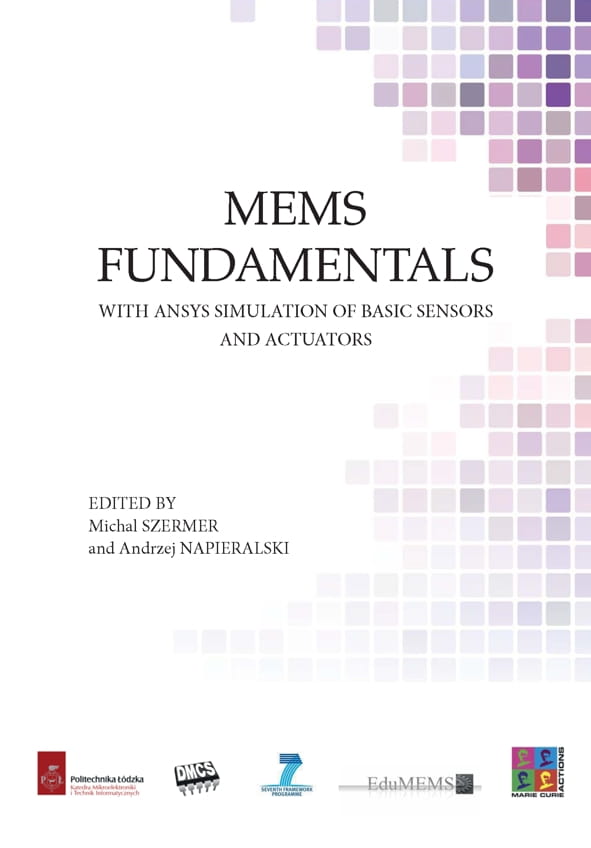
Mems fundamentals. With ansys simulation of basic sensors and actuators .
Dostępność:
Dostęny
Wysyłka w:
24 godziny
Cena:
48,00 zł
zawiera 5% VAT, bez kosztów dostawy
Cena regularna:
Najniższa cena z 30 dni przed obniżką:
towar niedostępny
 dodaj do przechowalni

Opis
Mems fundamentals. With ansys simulation of basic sensors and actuators.
Autorzy przedstawili sposób modelowania membran krzemowych, siłowników termicznych, siłowników elektrotermicznych, akcelerometrów i mikrobolometrów pokazując poszczególne etapy modelowania każdego z tych komponentów mikrosystemowych i przykładowe wyniki obliczeń.
Praca podzielona na 8 rozdziałów obejmujących wprowadzenie, ogólny opis systemu ANSYS oraz 6 rozdziałów opisujących sposób modelowania lub projektowania wybranych komponentó mikrosystemów,
umożliwia samodzielne studiowanie zagadnienia .
EDITORS
Michal SZERMER Assistant Professor at the Department of Microelectronics and
Computer Science (DMCS), Lodz University of Technology (TUL), Lodz, POLAND
Andrzej NAPIERALSKI Head of the Department of Microelectronics and Computer
Science (DMCS), Lodz University of Technology (TUL), Lodz, POLAND
CONTRIBUTORS
Cezary MAJ Department of Microelectronics and Computer Science (DMCS), Lodz
University of Technology (TUL), Lodz, POLAND
Lukasz STARZAK Department of Microelectronics and Computer Science (DMCS),
Lodz University of Technology (TUL), Lodz, POLAND
Wojciech ZABIEROWSKI Department of Microelectronics and Computer Science
(DMCS), Lodz University of Technology (TUL), Lodz, POLAND
Piotr ZAJAC Department of Microelectronics and Computer Science (DMCS), Lodz
University of Technology (TUL), Lodz, POLAND
Mykhaylo LOBUR CAD Department, L’viv Polytechnic National University (LPNU),
L’viv, UKRAINE
Oleh MATVIYKIV CAD Department, L’viv Polytechnic National University (LPNU),
L’viv, UKRAINE
Mykhaylo MELNYK CAD Department, L’viv Polytechnic National University
(LPNU), L’viv, UKRAINE
Jan DZIUBAN Division of Microengineering and Photovoltaics, Wroclaw University of
Technology (WUT), Wroclaw, POLAND
Gilbert DE MEY The Electronics and Information Systems Department (ELIS),
University Ghent (UG), Ghent, BELGIUM
Patrick PONS The Laboratory of Analysis and Architecture of Systems (LAAS), The
National Centre for Scientific Research (CNRS), Toulouse, FRANCE
Anatoly PETRENKO CAD Department, The National Technical University of Ukraine
– Kyiv Polytechnic Institute (NUKPI), Kyiv, UKRAINE
5
CONTENTS
Preface..........................................................................................................9
Chapter 1. INTRODUCTION ....................................................................11
1.1. Program description ..................................................................................11
1.2. References .................................................................................................12
Chapter 2. SILICON MEMBRANE ..........................................................13
2.1. Introduction ...............................................................................................13
2.2. Modeling ...................................................................................................14
2.2.1. Getting started ....................................................................................14
2.2.2. Setting system of units .......................................................................14
2.2.3. Selecting finite element types ............................................................15
2.2.4. Setting material properties .................................................................16
2.2.5. Defining geometry .............................................................................18
2.2.6. Meshing .............................................................................................26
2.2.7. Selecting analysis type .......................................................................27
2.2.8. Applying boundary conditions...........................................................28
2.2.9. Running analysis ................................................................................30
2.2.10. Viewing simulation results ..............................................................30
2.3. Tasks for students ......................................................................................34
2.4. References .................................................................................................35
Chapter 3. THERMAL ACTUATOR ........................................................37
3.1. Introduction ...............................................................................................37
3.2. Modeling ...................................................................................................39
3.2.1. Getting started ....................................................................................39
3.2.2. Defining geometry .............................................................................40
3.2.3. Setting material properties .................................................................42
3.2.4. Setting finite element types................................................................45
3.2.5. Meshing .............................................................................................46
3.2.6. Selecting analysis type .......................................................................49
3.2.7. Applying boundary conditions...........................................................50
3.2.8. Running analysis ................................................................................50
3.2.9. Viewing simulation results ................................................................51
3.3. Automation of MEMS thermal actuator design ........................................54
6
3.3.1. Simulation of thermal actuator with varying heater temperature.......54
3.3.2. Viewing and saving simulation results using POST1
postprocessor ...............................................................................................56
3.3.3. Plotting relationships .........................................................................57
3.3.4. Tasks for students ..............................................................................61
3.4. References .................................................................................................62
Chapter 4. ELECTROTHERMAL ACTUATOR ......................................65
4.1. Introduction ...............................................................................................65
4.2. Modeling ...................................................................................................66
4.2.1. Getting started ....................................................................................66
4.2.2. Defining geometry .............................................................................67
4.2.3. Setting finite element types................................................................77
4.2.4. Setting material properties .................................................................78
4.2.5. Meshing .............................................................................................81
4.2.6. Applying boundary conditions...........................................................83
4.2.6.1. Clamp .........................................................................................83
4.2.6.2. Temperature ................................................................................85
4.2.6.3. Voltage .......................................................................................87
4.2.7. Selecting analysis type .......................................................................89
4.2.8. Running analysis ................................................................................90
4.2.9. Viewing simulation results ................................................................91
4.2.9.1. Displacement ..............................................................................91
4.2.9.2. Voltage .......................................................................................93
4.2.9.3. Temperature ................................................................................93
4.3. Tasks for students ......................................................................................94
4.4. References .................................................................................................96
Chapter 5. ACCELEROMETER ............................................................... 99
5.1. Introduction ...............................................................................................99
5.2. Modeling .................................................................................................100
5.2.1. Getting started ..................................................................................100
5.2.2. Defining geometry ...........................................................................101
5.2.3. Setting finite element types..............................................................115
5.2.4. Setting material properties ...............................................................116
5.2.5. Meshing ...........................................................................................117
5.2.6. Applying boundary conditions.........................................................119
5.2.7. Selecting analysis type .....................................................................120
7
5.2.8. Running analysis ..............................................................................122
5.2.9. Viewing simulation results ..............................................................122
5.3. Tasks for students ....................................................................................124
5.4. References ...............................................................................................125
Chapter 6. SILICON MEMBRANE IN WORKBENCH ........................127
6.1. Membranes ..............................................................................................127
6.2. Membrane modeling ...............................................................................127
6.3. Design and modeling of the membrane...................................................131
6.3.1. Introduction to ANSYS ...................................................................131
6.3.2. Getting started ..................................................................................132
6.3.3. Defining geometry ...........................................................................134
6.3.4. Setting up the simulation .................................................................139
6.3.5. Results processing............................................................................145
6.4. Exercises for Students .............................................................................146
6.4.1. Laboratory tasks ...............................................................................146
6.4.2. Individual tasks ................................................................................146
6.5. References ...............................................................................................146
Chapter 7. MICROBOLOMETER IN WORKBENCH ..........................149
7.1. Microbolometer principle........................................................................149
7.2. Microbolometer design with ANSYS Workbench ..................................150
7.2.1. Getting started ..................................................................................150
7.2.2. Defining geometry ...........................................................................150
7.2.3. Adding materials’ data to the project ...............................................160
7.2.4. Electrical simulation ........................................................................160
7.2.5. Thermal simulation ..........................................................................164
7.2.6. Exercises for students ......................................................................167
7.2.7. Transient thermal simulation ...........................................................167
7.2.8. Exercises for students ......................................................................169
7.3. References ..........................................................................
Michal SZERMER Assistant Professor at the Department of Microelectronics and
Computer Science (DMCS), Lodz University of Technology (TUL), Lodz, POLAND
Andrzej NAPIERALSKI Head of the Department of Microelectronics and Computer
Science (DMCS), Lodz University of Technology (TUL), Lodz, POLAND
CONTRIBUTORS
Cezary MAJ Department of Microelectronics and Computer Science (DMCS), Lodz
University of Technology (TUL), Lodz, POLAND
Lukasz STARZAK Department of Microelectronics and Computer Science (DMCS),
Lodz University of Technology (TUL), Lodz, POLAND
Wojciech ZABIEROWSKI Department of Microelectronics and Computer Science
(DMCS), Lodz University of Technology (TUL), Lodz, POLAND
Piotr ZAJAC Department of Microelectronics and Computer Science (DMCS), Lodz
University of Technology (TUL), Lodz, POLAND
Mykhaylo LOBUR CAD Department, L’viv Polytechnic National University (LPNU),
L’viv, UKRAINE
Oleh MATVIYKIV CAD Department, L’viv Polytechnic National University (LPNU),
L’viv, UKRAINE
Mykhaylo MELNYK CAD Department, L’viv Polytechnic National University
(LPNU), L’viv, UKRAINE
Jan DZIUBAN Division of Microengineering and Photovoltaics, Wroclaw University of
Technology (WUT), Wroclaw, POLAND
Gilbert DE MEY The Electronics and Information Systems Department (ELIS),
University Ghent (UG), Ghent, BELGIUM
Patrick PONS The Laboratory of Analysis and Architecture of Systems (LAAS), The
National Centre for Scientific Research (CNRS), Toulouse, FRANCE
Anatoly PETRENKO CAD Department, The National Technical University of Ukraine
– Kyiv Polytechnic Institute (NUKPI), Kyiv, UKRAINE
5
CONTENTS
Preface..........................................................................................................9
Chapter 1. INTRODUCTION ....................................................................11
1.1. Program description ..................................................................................11
1.2. References .................................................................................................12
Chapter 2. SILICON MEMBRANE ..........................................................13
2.1. Introduction ...............................................................................................13
2.2. Modeling ...................................................................................................14
2.2.1. Getting started ....................................................................................14
2.2.2. Setting system of units .......................................................................14
2.2.3. Selecting finite element types ............................................................15
2.2.4. Setting material properties .................................................................16
2.2.5. Defining geometry .............................................................................18
2.2.6. Meshing .............................................................................................26
2.2.7. Selecting analysis type .......................................................................27
2.2.8. Applying boundary conditions...........................................................28
2.2.9. Running analysis ................................................................................30
2.2.10. Viewing simulation results ..............................................................30
2.3. Tasks for students ......................................................................................34
2.4. References .................................................................................................35
Chapter 3. THERMAL ACTUATOR ........................................................37
3.1. Introduction ...............................................................................................37
3.2. Modeling ...................................................................................................39
3.2.1. Getting started ....................................................................................39
3.2.2. Defining geometry .............................................................................40
3.2.3. Setting material properties .................................................................42
3.2.4. Setting finite element types................................................................45
3.2.5. Meshing .............................................................................................46
3.2.6. Selecting analysis type .......................................................................49
3.2.7. Applying boundary conditions...........................................................50
3.2.8. Running analysis ................................................................................50
3.2.9. Viewing simulation results ................................................................51
3.3. Automation of MEMS thermal actuator design ........................................54
6
3.3.1. Simulation of thermal actuator with varying heater temperature.......54
3.3.2. Viewing and saving simulation results using POST1
postprocessor ...............................................................................................56
3.3.3. Plotting relationships .........................................................................57
3.3.4. Tasks for students ..............................................................................61
3.4. References .................................................................................................62
Chapter 4. ELECTROTHERMAL ACTUATOR ......................................65
4.1. Introduction ...............................................................................................65
4.2. Modeling ...................................................................................................66
4.2.1. Getting started ....................................................................................66
4.2.2. Defining geometry .............................................................................67
4.2.3. Setting finite element types................................................................77
4.2.4. Setting material properties .................................................................78
4.2.5. Meshing .............................................................................................81
4.2.6. Applying boundary conditions...........................................................83
4.2.6.1. Clamp .........................................................................................83
4.2.6.2. Temperature ................................................................................85
4.2.6.3. Voltage .......................................................................................87
4.2.7. Selecting analysis type .......................................................................89
4.2.8. Running analysis ................................................................................90
4.2.9. Viewing simulation results ................................................................91
4.2.9.1. Displacement ..............................................................................91
4.2.9.2. Voltage .......................................................................................93
4.2.9.3. Temperature ................................................................................93
4.3. Tasks for students ......................................................................................94
4.4. References .................................................................................................96
Chapter 5. ACCELEROMETER ............................................................... 99
5.1. Introduction ...............................................................................................99
5.2. Modeling .................................................................................................100
5.2.1. Getting started ..................................................................................100
5.2.2. Defining geometry ...........................................................................101
5.2.3. Setting finite element types..............................................................115
5.2.4. Setting material properties ...............................................................116
5.2.5. Meshing ...........................................................................................117
5.2.6. Applying boundary conditions.........................................................119
5.2.7. Selecting analysis type .....................................................................120
7
5.2.8. Running analysis ..............................................................................122
5.2.9. Viewing simulation results ..............................................................122
5.3. Tasks for students ....................................................................................124
5.4. References ...............................................................................................125
Chapter 6. SILICON MEMBRANE IN WORKBENCH ........................127
6.1. Membranes ..............................................................................................127
6.2. Membrane modeling ...............................................................................127
6.3. Design and modeling of the membrane...................................................131
6.3.1. Introduction to ANSYS ...................................................................131
6.3.2. Getting started ..................................................................................132
6.3.3. Defining geometry ...........................................................................134
6.3.4. Setting up the simulation .................................................................139
6.3.5. Results processing............................................................................145
6.4. Exercises for Students .............................................................................146
6.4.1. Laboratory tasks ...............................................................................146
6.4.2. Individual tasks ................................................................................146
6.5. References ...............................................................................................146
Chapter 7. MICROBOLOMETER IN WORKBENCH ..........................149
7.1. Microbolometer principle........................................................................149
7.2. Microbolometer design with ANSYS Workbench ..................................150
7.2.1. Getting started ..................................................................................150
7.2.2. Defining geometry ...........................................................................150
7.2.3. Adding materials’ data to the project ...............................................160
7.2.4. Electrical simulation ........................................................................160
7.2.5. Thermal simulation ..........................................................................164
7.2.6. Exercises for students ......................................................................167
7.2.7. Transient thermal simulation ...........................................................167
7.2.8. Exercises for students ......................................................................169
7.3. References ..........................................................................
Szczegóły
| ISBN | 9788366287648 |
| Autor | Szermer Michał,Napieralski Andrzej |
| Oprawa | mi |
| Rok wydania | 2020 |
| Format | b5 |
| Stron | 168 |
Bezpieczeństwo
Koszty dostawy
Cena nie zawiera ewentualnych kosztów płatności
Kraj wysyłki:
Opinie o produkcie (0)
Newsletter
Podaj swój adres e-mail, jeżeli chcesz otrzymywać informacje o nowościach i promocjach.
Wydawca